How the call goes
Call your company’s reporting number from the phone number on your profile. Station 1 answers. A typical call takes a few minutes, and you can make it from the truck.
The greeting
Station 1 opens with Hi, I’m Station 1. Ready to get going? Say yes and it starts.
Which project
If you’re on one active project, Station 1 already knows which one and skips this. If you’re on several, it asks first. If you’ve called in on exactly one of them before, it asks You on Riverside Medical today? so one “yep” settles it. Otherwise it asks Which project are you on today?
Shorthand is fine. “The MOB” or “Riverside” works. Nothing gets logged until the project is settled.
Your topics, in order
Station 1 walks through the topics your company reports on that day, in the order set in Settings → Reporting Topics. Some topics get their own question. Others are grouped, like Any delays, deliveries or inspections today? Say no and it moves on.
It uses what’s already logged to jog your memory. If yesterday’s log had Harpeth on site, you’ll hear something like Last time you had Harpeth, are they back today? If another super already called in on the project today, it tells you what it has and asks if you need to update anything.
Follow-ups
For each thing you mention, it asks short follow-ups: how many workers, what they worked on, how long a delay ran. If you jump ahead, it says it’ll cover that and comes back to it. If you mention an injury or a safety problem, it deals with that first.
The wrap-up
After the last topic it asks Anything else we missed? Add anything that didn’t fit. Then it says I’ll send a summary to your email and the call ends.
Topic order and days are set for the whole company. To change what gets asked, see Choose reporting topics and cadence.
Log for yesterday
Missed a day? Call the next morning and say so: “This is for yesterday.” Station 1 files what you report to yesterday’s log instead of today’s.
If you give a weekday and a date that don’t line up, like “Monday the 11th” when the 11th was a Wednesday, it asks which one you meant before logging.
Calling in Spanish
Talk in Spanish and Station 1 answers in Spanish for the rest of the call. Everything it writes from the call comes out in English: the call summary, the day’s daily log summary and every brief.
Company and people names stay as you said them, so “Construcciones García” stays “Construcciones García”. Generic words get translated, so “Cuadrilla uno” becomes “Crew 1”.
Texting the same number
You can also text the reporting number. Send what happened, and Station 1 texts back short follow-up questions the same way it would on a call.
Where your texts go
Texts go to the project you last called in on. There’s no way to pick a project by text yet. To send texts to a different project, call in on that project once. Your texts follow it from then on.
Station 1 only counts a call to a project that’s still active and still has you on its roster. If you have no call like that, Station 1 texts back:
Please call in first. Your texts will go to whichever project you last called in on.
Call in once and try the text again.
Photos
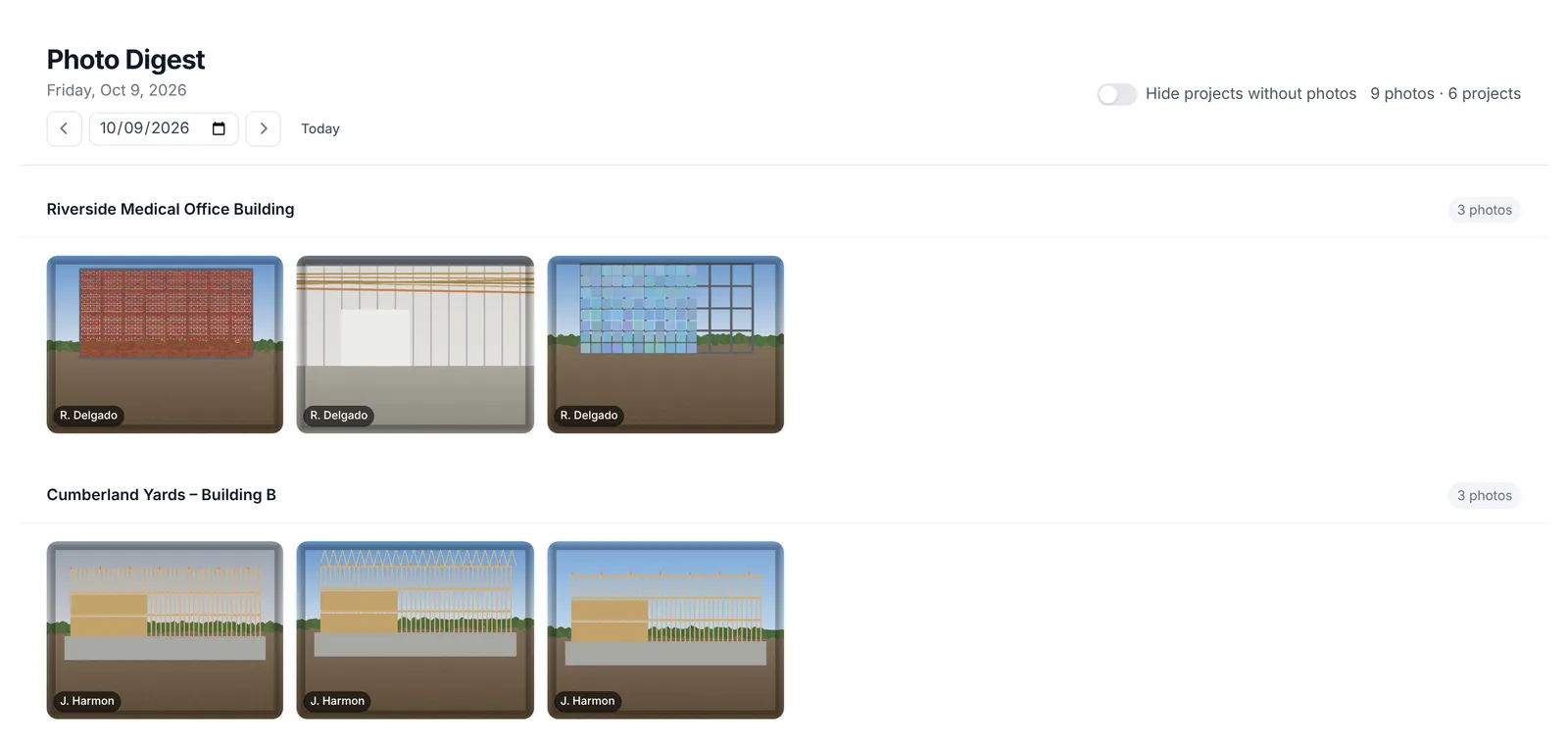
Text photos to the same number. They go to the same last-called project and show up in three places:
- The project’s Photos tab.
- Photos in the top menu. It opens the Photo Digest, which shows every project’s photos for one day.
- The day’s daily log and its PDF.
Photos land on the day you send them. Send them the same day as the work. Photos don’t appear in briefs.
The summary email
After the call, you get an email from Station 1 with the subject Riverside Medical Log for 10/09/2026: the project name, then the date the log is for.
- The summary. A written recap of the call, with a PDF copy attached.
- Understood. Every entry logged on that project for that day, grouped by type, like subcontractors, delays and deliveries. Scan it to check Station 1 heard you right.
- Needs Attention. Names Station 1 heard but couldn’t match to a known company, person or piece of equipment: I heard these but couldn’t match them to a known record. Each one has a Match this → button that opens that day’s log so you or your office can fix it.
Fixing those matches is how a sub’s manpower files under the right company in Procore. See Match subcontractors in Needs Attention.
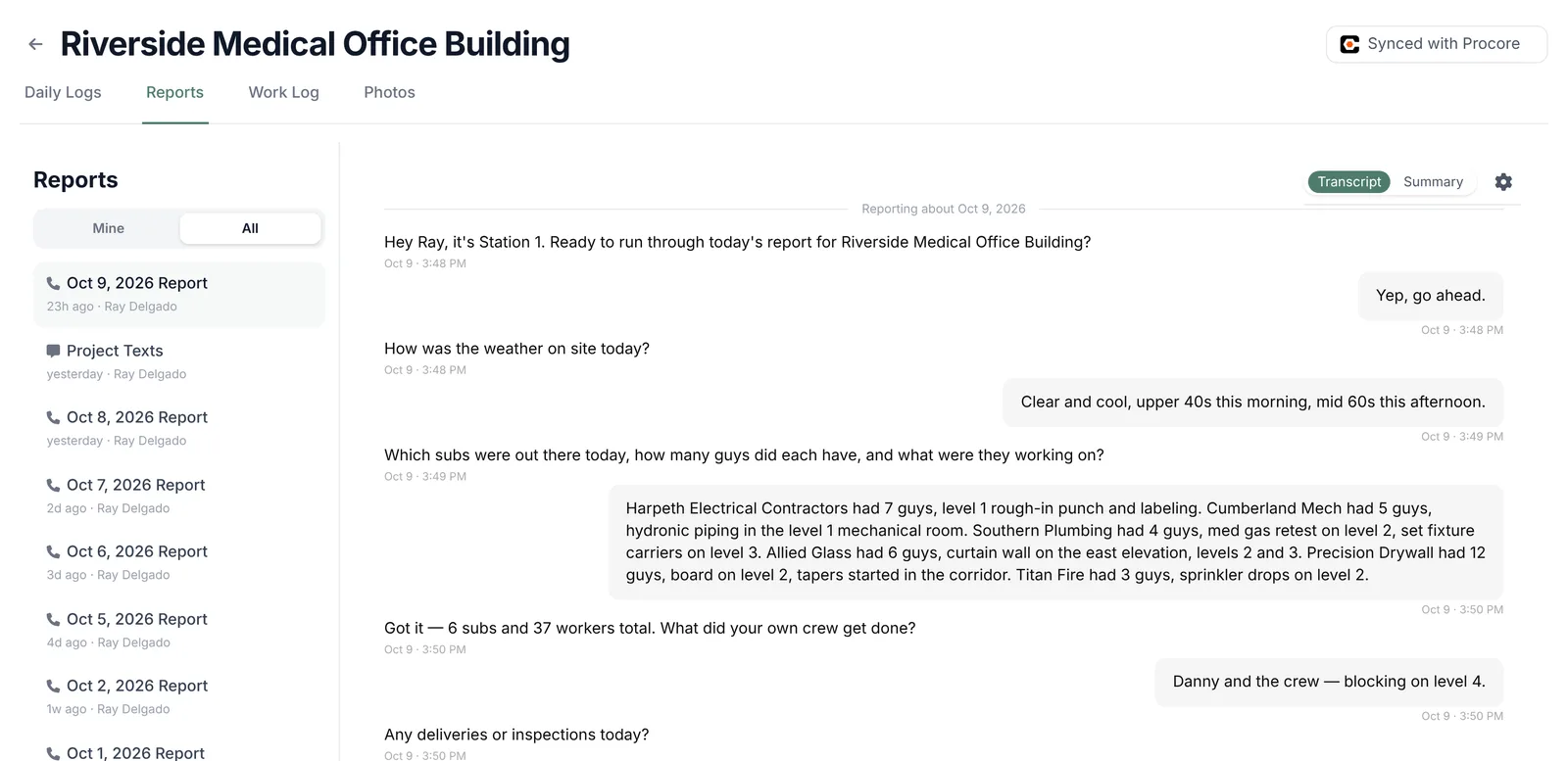
Can’t find the email? Every call is also on the project’s Reports tab. Open a call and switch between Transcript and Summary.
Related
- Get your supers calling in, if a call says your number wasn’t recognized or you’re not on an active project.
- Review and fix a daily log, to correct anything Station 1 got wrong.